To cancel a pre-authorized payment in Canada, you do two things: cancel the authorization with the company in writing, then ask your bank to stop the payment. Doing both is what makes it stick. Cancelling with the company ends the permission at the source, and a bank stop payment blocks a debit that is about to come out while you sort it.
One thing to know before you start: stopping the payment is not the same as cancelling what you owe. If you still have a contract or a balance, the debt stays. This guide walks through both steps, what your bank charges, your rights if money keeps leaving your account, and how to avoid an NSF fee along the way. All dollar figures are in Canadian dollars.
Key Takeaways
- Two steps, in order: cancel the authorization with the company in writing, then tell your bank to place a stop payment.
- Stopping a payment does not cancel the debt. You still owe the biller and need to arrange another way to pay what is left.
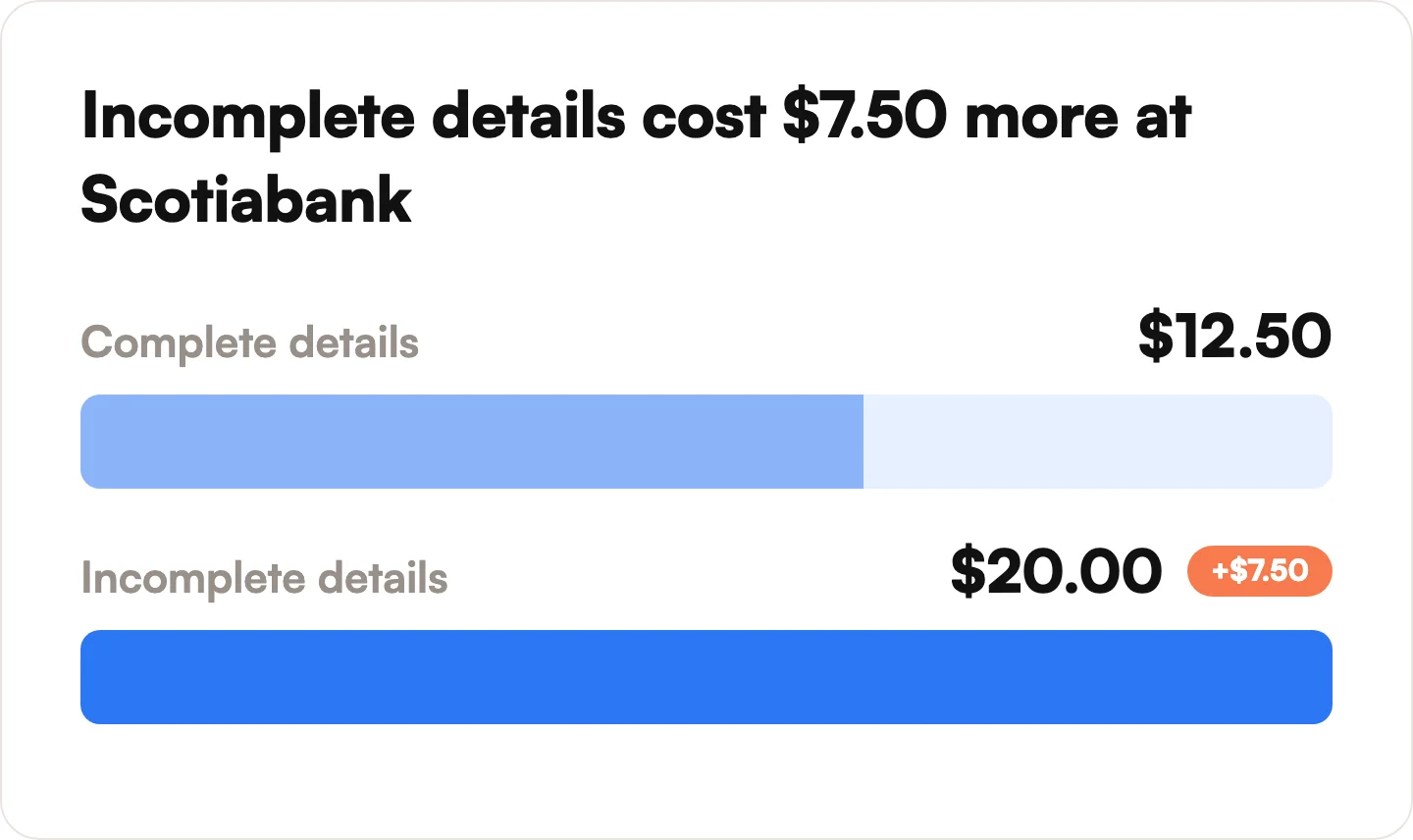
- Your bank charges a fee to place a stop payment, usually about $12.50 to $30, and the stop is best-effort, not guaranteed.
- You have 90 days to ask your bank for a refund on a payment taken after you cancelled, or one you never approved.
- A recurring credit-card charge is not a pre-authorized debit. You cancel that with the company, not with a bank stop payment.

What Is a Pre-Authorized Payment (PAD)?
A pre-authorized payment, also called a pre-authorized debit or PAD, is permission you gave a company to pull money from your chequing account on a set schedule. Rent, gym memberships, insurance, phone bills, and loan payments often run this way. You sign a form or agree online once, and the biller takes the money each cycle.
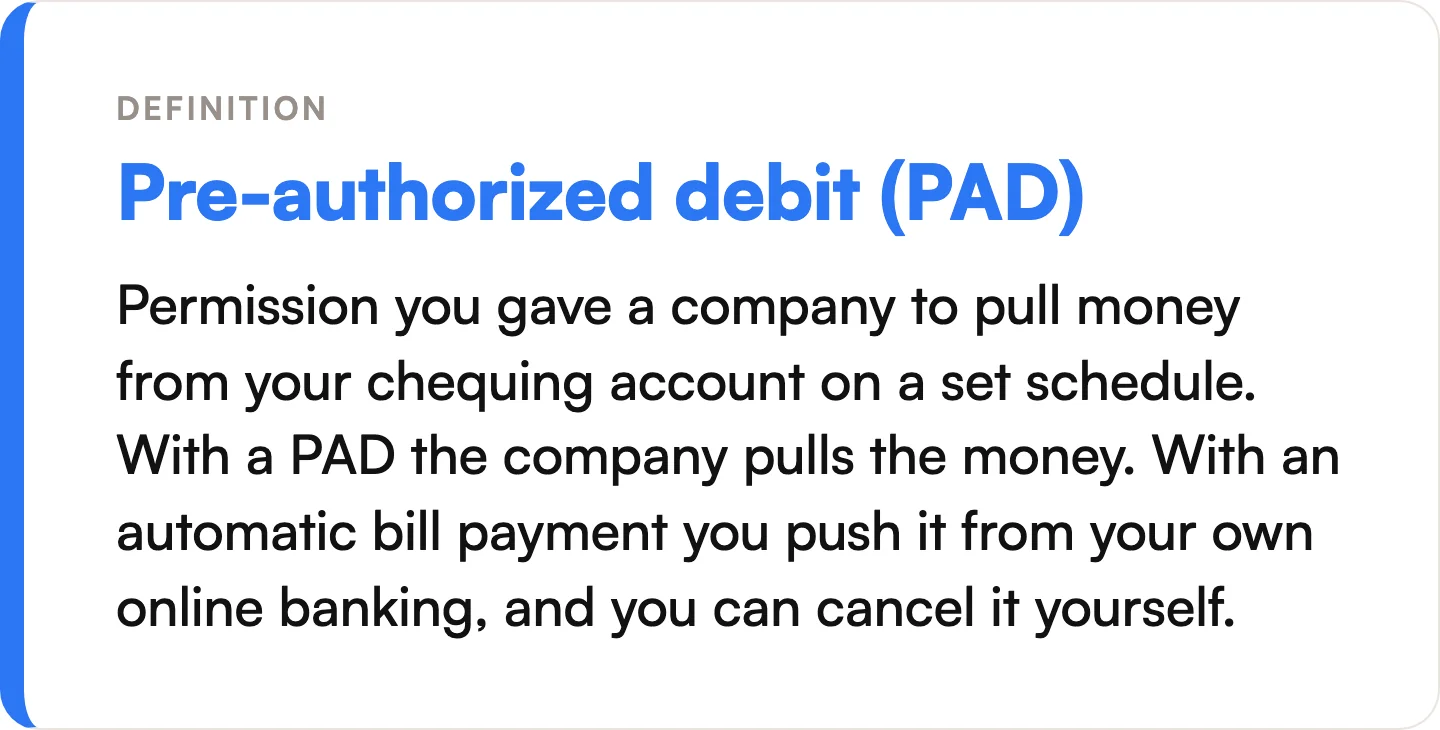
A PAD is different from an automatic bill payment you set up yourself. With a PAD, the company pulls the money. With an automatic payment, you push it from your own online banking, and you can cancel it on your own. Pre-authorized debits in Canada are governed by Payments Canada under its Rule H1, which sets out your rights and the steps to cancel. The Financial Consumer Agency of Canada and Payments Canada both publish plain-language guides to how PADs work.
Step 1: Cancel the Payment With the Company
Start by contacting the company and revoking your authorization in writing. Email them or use their online account portal, and clearly state that you are cancelling permission for all future automatic withdrawals. A phone call can start the process, but writing gives you a dated record you may need later.
Keep a copy of everything. Save the email, note the date and time, and write down any confirmation number they give you. If a payment comes out after you cancelled, that record is your proof.
Cancelling with the company is the cleaner fix, because it ends the authorization at the source. Under Payments Canada's rules, the biller must cancel the agreement within 30 days of getting your notice. If the next payment is close or you do not trust the company to act in time, move on to Step 2 as well.
Step 2: Ask Your Bank to Stop the Payment
If a payment is about to come out, tell your bank to place a stop payment on it. Most banks let you do this in online or mobile banking, by phone, or at a branch. Scotiabank, RBC, and National Bank all offer stop payments, and the method is the same wherever you bank: you give the biller name, the amount, and the date so the bank can catch the debit.
Timing matters. Scotiabank asks you to place a stop payment 24 to 48 business hours before the scheduled date so there is time to process it. Many banks also let you choose the scope, such as the next payment only or a set window of future payments, rather than a single one-off block.
A stop payment is best-effort, not a guarantee. As Scotiabank puts it, the bank will try to stop the payment on a best-effort basis but cannot promise it will catch every one. One more limit worth knowing: your bank usually cannot stop a withdrawal taken by that same bank or one of its own subsidiaries, so for those you have to call them directly.
Stop Payment vs. Cancelling the Agreement: Which One You Need
These are two different tools, and for a clean exit you often want both. A bank stop payment blocks an upcoming debit. Cancelling the agreement with the company ends the permission so no new debits start. Here is how they compare.
The simple rule: cancel with the company to stop it for good, and add a bank stop payment if a debit is coming out before the cancellation takes effect.
How Much Does a Stop Payment Cost?
Most Canadian banks charge a fee of roughly $12.50 to $30 to place a stop payment. The exact amount depends on your bank and how complete your request is. Cancelling directly with the company is usually free, which is a good reason to try Step 1 first.
These figures are current as of 2026. Fee schedules change, so confirm the amount with your own bank before you file the request. The fees above come from Scotiabank and National Bank's published rates.
Stopping a Payment Doesn't Cancel What You Owe
Stopping a payment does not erase the debt behind it. If you still owe money on a loan, a gym contract, or a utility account, that obligation stands even after the withdrawals stop. National Bank says it plainly: stopping a pre-authorized debit does not end your contract with the supplier. Arrange another way to pay anything you still owe, or you risk late fees and a trip to collections.
There is also a timing trap. Stopping a payment, or switching to a new payment method, can leave you short for a few days right when money is tight. If a debit lands before you expect it, or your balance dips too low, you can get hit with an NSF fee. Watch your balance around the switch, and read our guide to getting rid of NSF and overdraft fees if those fees are a recurring problem.
Bree can help with that short gap. Bree gives Canadians a line of credit of up to $750 with no interest, built for the days between one paycheque and the next, and it is free to use with no credit check. The money arrives by direct deposit to your bank account, you repay on your own schedule, and income from government benefits like CPP, EI, and ODSP counts toward approval. If cancelling a payment leaves a hole before your next deposit, you can cover a bill without the triple-digit interest a payday loan would add on top.

What to Do If a Company Keeps Charging You After You Cancel
If money keeps leaving your account after you cancelled, you have 90 calendar days from the date of the withdrawal to report it to your bank and ask for your money back. This covers a payment taken after you revoked consent and a debit you never authorized at all. The 90-day reimbursement right comes from Payments Canada's rules and is confirmed by the Financial Consumer Agency of Canada.
Here is the order to work through it:
- Contact the company again and point to your written cancellation and its date.
- File a reimbursement claim with your bank. Ask for the unauthorized or incorrect pre-authorized debit claim, and bring your cancellation records.
- Keep escalating if the withdrawals continue, since the written record is what backs your claim.
One more right to know about: if your PAD is a variable amount that changes from cycle to cycle, the biller has to give you written notice at least 10 days before a payment, unless you agreed to waive it. That notice period gives you time to spot a wrong or surprise amount and stop it before it comes out.
Also read: What Is the Connecting Families Initiative?
Frequently Asked Questions
Can I cancel a pre-authorized payment on my credit card?
A recurring charge on your credit card is not a pre-authorized debit and is not governed by Payments Canada's rules. Pre-authorized debits pull from your chequing account, while card charges run through the card network. To stop a recurring card charge, cancel directly with the company, and ask your card issuer whether they can block future charges from that merchant.
Will closing my bank account stop automatic payments?
No, and it is a risky way to try. Closing the account does not cancel your authorizations or the debt behind them. Payments can bounce and trigger NSF fees, billers can send you to collections, and you still owe what you owed. Cancel each payment properly instead of closing the account.
Can I stop a pre-authorized payment online?
Yes, at most banks. You can usually place a stop payment through online or mobile banking in a few steps. Some banks still require a phone call or a branch visit for certain requests, so check your bank's process if you do not see the option in the app.
Is a stop payment guaranteed to work?
No. Banks process stop payments on a best-effort basis, so a payment can still slip through. Submit the request well before the payment date, and give the full biller name, amount, and date so the bank can match it. Scotiabank suggests placing it 24 to 48 business hours ahead.
How long does it take to cancel a pre-authorized payment?
The company must cancel your authorization within 30 days of getting your written notice. A bank stop payment works faster for an urgent debit, but place it 24 to 48 business hours before the payment date so there is time to process it.
The Bottom Line
Cancelling a pre-authorized payment comes down to two moves: tell the company in writing to end the authorization, and ask your bank to stop any debit that is about to come out. Do both when a payment is close. Then remember the two things people forget. The debt does not go away just because the payments stopped, so arrange another way to pay anything you still owe. And if money leaves your account after you cancelled, you have 90 days to claim it back from your bank.
When cancelling a payment leaves you short before your next deposit lands, a Bree line of credit of up to $750 can carry you across that gap, with 0% interest, no credit check, and no late fees. It is free to use, and funds arrive by direct deposit to your bank account. See how it works if a timing gap is the real problem behind the payment you are trying to stop.
Sources

Join our newsletter to get the latest updates